
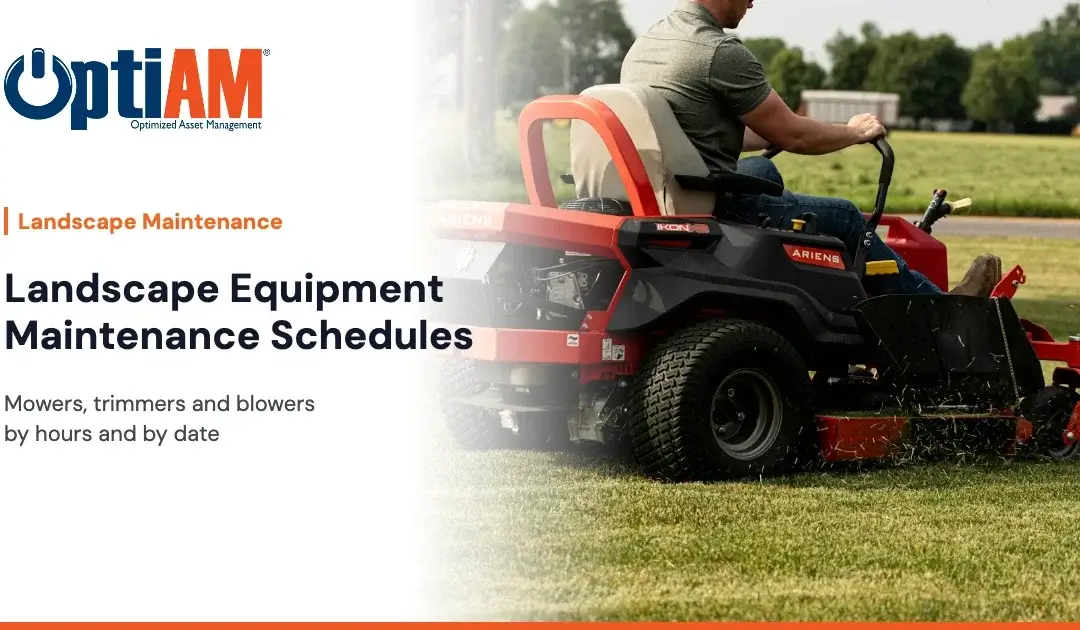
A good landscape equipment maintenance schedule ties engine work to run hours and seasonal or safety work to the calendar. Mowers get service by hours, trimmers and blowers by hours or a set day of the week, and everything gets a pre-season inspection by date. Start from each OEM manual and adjust to how hard your crews run the equipment.
It’s peak season. A crew pulls up to a property, and the zero-turn won’t start. The backup is at another site. The trimmer that was “fine yesterday” is bogging down because nobody has cleaned the air filter in weeks. The crew loses half a morning, and the property manager notices.
Most of that is preventable. Not with more effort, but with a schedule that matches how landscape equipment actually wears. This post is for shop leads, equipment techs and the managers who keep crews rolling.
Why Do Landscape Equipment Maintenance Schedules Break Down?
Landscape equipment is hard on schedules for a few reasons you already know.
Usage swings wildly
A mower on a large commercial route can run all day, every day in summer and sit for months in winter. A calendar-only schedule over-services it in the off season and under-services it in peak season.
Equipment moves around
Units get swapped between crews, trailers and properties. If the service record lives in a notebook in one truck, nobody else knows what’s due.
Small engines get ignored
Trimmers, blowers and edgers are cheap enough that crews treat them as disposable. Then you’re buying replacements for units that only needed a filter and a spark plug.
Hour meters don’t get read
Many mowers have hour meters. If nobody records them, the hours might as well not exist.
What Is Hours-Based Maintenance, and When Does the Calendar Still Win?
Definition: hours-based maintenance. Preventive maintenance triggered when an engine reaches a set number of run hours, read from the unit’s hour meter, instead of on a fixed date.
Definition: calendar-based maintenance. Preventive maintenance triggered on a fixed interval of time, such as weekly, monthly or before the season starts, regardless of how much the equipment ran.
Hours fit engine wear: oil changes, filters, spark plugs and belts on units that have meters. The calendar fits time-driven and seasonal work: pre-season inspections, winter storage prep, safety checks, and small handheld units that don’t have meters.
Most good programs use “whichever comes first.” Service the mower by hours, but make sure it still gets looked at on a set date if it barely ran. We go deeper on that trade-off in Usage-Based vs Calendar-Based PM.
What Does a Sample Mower, Trimmer and Blower Schedule Look Like?
The intervals below are examples only, to show how a mixed schedule is structured. They are not manufacturer specifications. Always use the intervals in your OEM manual for each model, and tighten them for dusty or heavy-use conditions where the manual says to.
| Equipment | Daily | By hours or weekly | Pre-season, by date |
|---|---|---|---|
| Commercial mowers (zero-turn and walk-behind) | Before use: walk-around, fluid levels, tire condition, blade condition, guards and safety switches | By hours, per OEM manual: engine oil and filter, air filter service, fuel filter, spark plugs, hydraulic fluid and filter on hydro units. By hours or weekly: blade sharpening and balancing, deck cleaning, grease points | Full inspection, belts, battery, safety systems |
| String trimmers and edgers | Clean air filter area, check line head and guard | Air filter service, spark arrestor check, gear head grease where the manual calls for it | Spark plug, fuel lines, full inspection |
| Backpack and handheld blowers | Intake screen and air filter check | Air filter service, spark arrestor, straps and harness | Spark plug, fuel lines, full inspection |
Off-season, by date: storage prep, including fuel treatment or draining per OEM guidance, battery care, cleaning, and a list of repairs to do before spring.
If your manual and this list disagree, the manual wins.
What Should a Landscape Equipment PM Checklist Include?
Landscape equipment PM checklist
- Every unit in one registry, with serial number, model, location or crew, and status
- The OEM manual attached to each unit, where techs can find it
- Hour meter readings recorded on a regular schedule for metered units
- Hours-based PMs set from the OEM intervals
- Calendar PMs for daily checks, pre-season inspections and off-season storage
- “Whichever comes first” on units with uneven use
- Work orders closed with tasks and inspections recorded
- Common parts (filters, plugs, blades, line) on the shelf with reorder points set
- A clear process for crews to report a problem so a work order gets raised
How Do You Get Crews to Actually Follow the Schedule?
Make it easy, and make it part of the job.
1Keep the daily check short
If it takes too long, it won’t happen.
2Put the procedure on the unit’s record
A tech shouldn’t have to call the shop to find the oil spec.
3Let crews report problems from the field
A quick request beats a note that never makes it back.
4Record hours when the unit comes into the shop
Tie it to a habit that already exists.
5Review what you find at each PM
If blades always come in dull, shorten the interval.
How Do You Make the Case to the Owner or Operations Manager?
Owners care about crews finishing routes and properties staying happy.
- Downtime: estimate how many crew hours were lost last season to equipment failures. Use your own numbers.
- Replacement spend: look at how many handheld units you replaced, and how many failed for preventable reasons.
- The ask: start with your mowers and highest-use units, then add the rest.
One line: “We’re losing crew time to breakdowns we could have caught. I want every unit on a schedule that matches how much it runs.”
What are breakdowns costing your crews?
Plug your own numbers into the CMMS Savings Calculator and walk into the owner’s office with a figure instead of a feeling.
How Does OptiAM Handle Landscape Equipment Maintenance?
OptiAM is landscape maintenance software built by Andromeda Systems Incorporated, the reliability and supportability engineering team that has supported DoW assets since 2005. A landscape maintenance client has used OptiAM for over 10 years maintaining the landscape at a major Orlando theme park property.
- Asset Manager keeps one record per unit with serial number, location, custodian, status, usage readings and maintenance history.
- Maintenance Optimizer generates work orders from a preventive maintenance schedule or a meter threshold, with the tasks and inspections attached. Crews can also raise a work order by request.
- Live Library attaches OEM manuals, photos and video to each unit.
- Inventory Manager shows a visual flag when a part hits its reorder point at a location.
- OptiAM GO runs on iOS, Android and Windows devices. Techs download the units they need, work offline at the property, and everything syncs when they reconnect.
What OptiAM doesn’t do: bidding, invoicing, crew scheduling or labor tracking. It keeps your equipment running. Your business software runs the business.
Frequently Asked Questions
How often should a commercial mower be serviced?
Service intervals for a commercial mower should come from the manufacturer’s manual for that model. Most programs combine daily pre-use checks, engine service by run hours, and a full pre-season inspection by date, and tighten intervals for dusty or heavy-use conditions.
What is the difference between hours-based and calendar-based maintenance?
Hours-based maintenance triggers service when an engine reaches a set number of run hours. Calendar-based maintenance triggers service on a fixed date or interval regardless of use. Landscape programs usually use hours for engine wear and the calendar for seasonal and safety work.
Do trimmers and blowers need a maintenance schedule?
Yes. Handheld equipment like string trimmers and backpack blowers wears quickly in daily commercial use. Simple daily checks, regular air filter service and a pre-season inspection, following the OEM manual, keep them running longer and prevent avoidable replacements.
What does whichever comes first mean in equipment maintenance?
Whichever comes first means a PM task has both an hours trigger and a date trigger, and service happens at the first one reached. It keeps busy units serviced on hours while making sure idle units still get inspected.
How should landscape companies track equipment hour meter readings?
Record hour meter readings on a regular schedule, ideally when the unit comes into the shop or at the start of a shift. Recording them in a maintenance system lets PM work orders be generated automatically when a meter threshold is reached.
Does OptiAM handle landscape crew scheduling or invoicing?
No. OptiAM does not do bidding, invoicing, crew scheduling or labor tracking. It manages equipment records, preventive maintenance, work orders, parts and documentation, and it works alongside the software you use to run your landscape business.
See your equipment schedule in OptiAM
Bring your unit list, a couple of OEM manuals, your shop lead and your boss to a 30-minute walkthrough using your own equipment. No slide deck. Or call 904-402-8641.
Heading to NALP ELEVATE in Tampa, Nov 8 to 11? Stop by booth 1329.