
Asset Manager
Asset Management Software Your Team Will Actually Keep Current
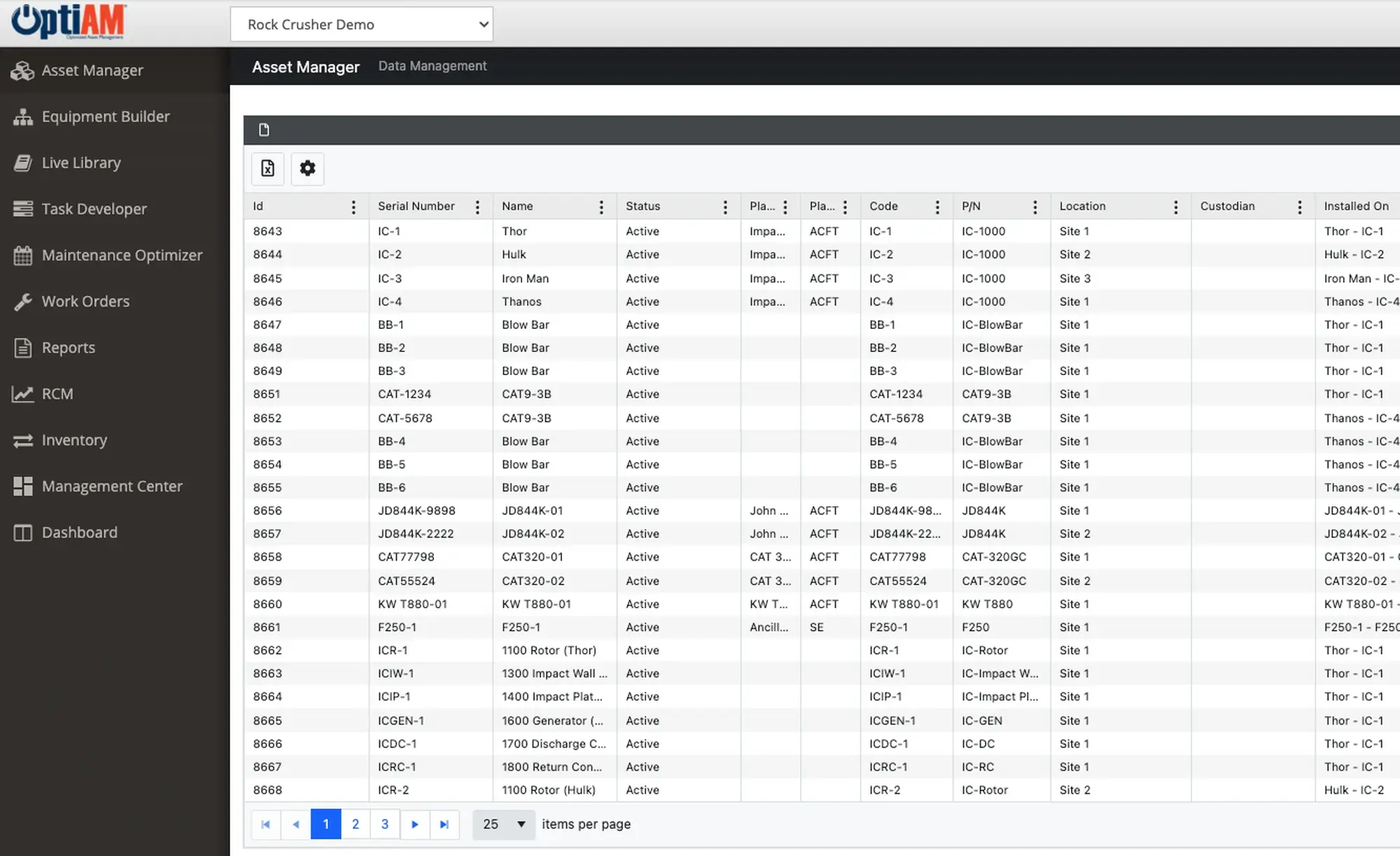
Asset Manager keeps a central record of your equipment so you can see what you have, where it is, and who is responsible for it. It tracks details, status, usage and which components are installed, along with a history of component changes and completed maintenance. One place to look equipment up, and one place to keep it current as gear gets used, moved or repaired.
Proven reliability methods, without the enterprise price tag. Runs on any device, online or off. ASI guides implementation and user training, so most teams are live in weeks, not months.
New: Asset Center launches with OptiAM 11.0.0 on November 13, 2026. A complete rebuild of Asset Manager with documents on every asset, Lifecycle and Financial tabs, asset-level usage, and dark mode. See what is coming →
The OptiAM platform
A Registry Nobody Trusts Is a Registry Nobody Updates
Most equipment lists start clean. Then a pump gets swapped, a truck moves site, somebody retires, and six months later nobody believes the spreadsheet. The work still happens. It just happens off the record.
The list lives in three places
A spreadsheet, a whiteboard and somebody’s memory. When they disagree, the person standing at the machine wins, and the record falls further behind.
Nobody knows what is actually installed
The asset is in the system. The motor that got swapped last spring is not. So the next tech orders a part from a drawing that stopped being true a year ago.
The history walks out the door
When the person who knew the equipment leaves, the service history leaves with them, unless it was written somewhere the next person can actually find.
One Record Per Asset, and Everything Hangs Off It
Asset Manager is the equipment registry inside OptiAM. Every asset gets one record carrying what it is, where it sits, who is responsible for it and what condition it is in. Installed components hang off that record, and so does the history: what got changed, when, and what maintenance has been completed. Work orders, PMs and parts all point back to the same record, which is why the rest of OptiAM stays consistent.
Fields fill in, components hang off the record, and every change lands in the history underneath.
Everything That Happens to It Lands Here
An asset record is not a line in a list. Identity, location, custodian and status sit on the record, the components currently installed hang off it, and every change is written into the history underneath. When the next person opens it, they are looking at what is true today and how it got that way.
Production Equipment, Fleet and Facilities in One Registry
You are not running three systems and reconciling them. Plant equipment, fleet vehicles and facility assets live in the same registry, with the same fields and the same history behind each one. Whoever is asking, there is one place to look.
Which fields matter changes by operation, though. A quarry tracks different things on a crusher than a plant does on a line, or a facilities team does on a chiller. Same registry, different record.
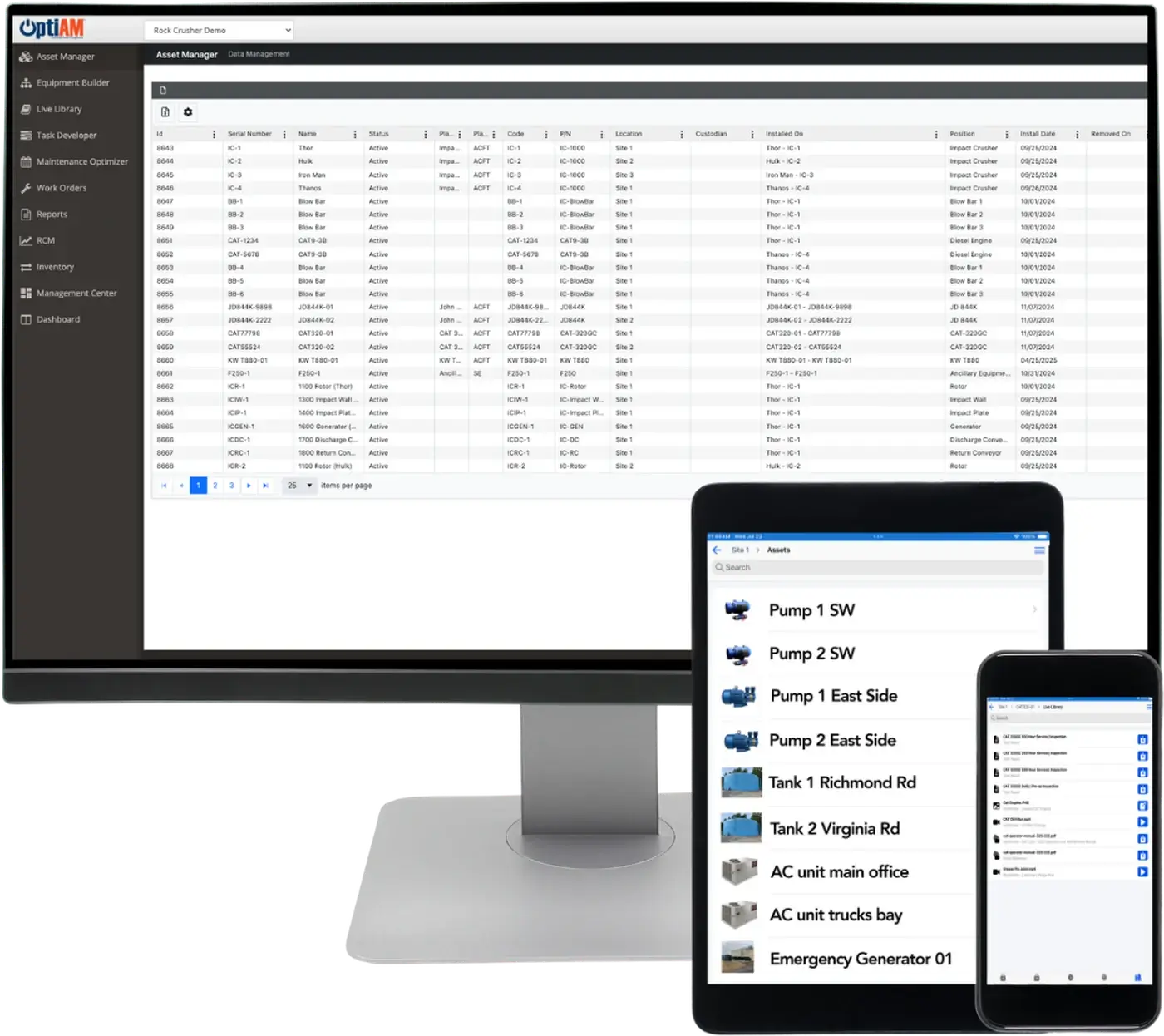
What Is on an Asset Record
These are the standard fields that ship with Asset Manager, not a wish list.
Identity
Name, serial number, part number, manufacturer and model, plus an asset image so the person in the field knows they are looking at the right machine.
Ownership and Status
Location, custodian, current status, cost, contract and notes. Who has it, where it sits, and what shape it is in right now.
Service and Components
Key service and warranty dates, applicable usage readings, the components currently installed, and the installation and maintenance history behind them.
Not sure your equipment list is in good enough shape to load? That is the fastest thing to answer on a call.
At a Glance
What Asset Manager Does
One Record Per Asset
Identity, location, custodian and status on a single record. Add the asset image and nobody has to guess which of the four identical pumps they are standing in front of.
Installed Components
See what is actually in the machine right now. Components sit on the asset record, along with the history of what got swapped and when, so the next tech is not working from an old drawing.
Maintenance History
Completed maintenance stays with the asset. Installation and service history live on the record, not in the head of the person who happens to remember it.
Usage Readings
Real numbers behind wear-based decisions. Applicable usage readings sit on the asset record, so what you service next is driven by how hard it actually worked.
Warranty and Service Dates on Record
The details live on the asset. Key service and warranty dates, cost, contract and notes are stored on the record, so nobody walks back to a desk to work out what a machine is and what has been done to it.
One Registry, Every Asset Type
Plant equipment, fleet vehicles and facility assets in one place. Same fields, same history, same system. You are not running three registries and reconciling them.
Start With the Assets You Already Have
Book a 30-minute demo. We will put equipment like yours on the screen and show you what an asset record looks like once it is filled in.
A short call so we understand your equipment
A walkthrough on equipment like yours
A plan for getting your existing list loaded
Common Questions
What is asset management software?
Asset management software keeps one record for every piece of equipment you own, so you can see what you have, where it is, who is responsible for it and what has been done to it. In OptiAM that record is Asset Manager, and the rest of the system, work orders, PMs and parts, points back to it.
For where asset management ends and CMMS or EAM begins, read CMMS vs EAM: what’s the difference.
What fields come standard on an asset record?
Name, serial number, part number, manufacturer, model, location, custodian, status, key service and warranty dates, cost, contract, notes and an asset image. The record also shows applicable usage readings, the components currently installed, and the installation and maintenance history behind them.
Can we add our own custom fields?
Your administrators can maintain the existing information within their permissions. Adding new custom fields is custom development rather than a setting you toggle, so it is worth telling us on the call which fields you cannot live without. That way you find out before you buy, not after.
Does it warn me before a warranty runs out?
Not today. Warranty and vendor details are stored on the asset record, so the information is there when you go looking for it, but the system does not push you an alert as the date approaches. If proactive warranty alerts are a requirement, say so on the call.
Can we keep vehicles and buildings in the same system as plant equipment?
Yes. Production equipment, fleet vehicles and facility assets all live in the same registry with the same fields and the same history. You are not running separate systems and reconciling them.
How many assets can OptiAM handle?
The largest registry running in production today is around 5,500 assets. If you are bigger than that, tell us on the call and we will be straight with you about what it means for your rollout.
How do you get our existing equipment list in?
Most teams come to us with a spreadsheet, and getting it loaded is part of the rollout conversation rather than something you do alone on day one. Bring your current list to the demo and we will look at it together.
How fast can we get OptiAM running?
Weeks, not months. You bring the asset list, we handle the build and walk your team through it. If your data lives in spreadsheets, binders, or another system, that is normal. Getting it into shape is part of getting started, not something you have to finish first.
What does OptiAM cost?
Pricing is based on what you are managing, mainly the number of assets and the number of facilities you bring in. Adding people to a dashboard does not change the price, so a manager and six technicians can each keep their own view without it costing you more. If you want to check that against what reactive maintenance is costing you today, run the savings calculator. For a real number on your operation, the demo call is where we scope it.
Is OptiAM cloud-based or installed?
Either. OptiAM runs as SaaS or installed on your own infrastructure, so it works for operations with strict IT or security requirements as well as for teams that would rather not run another server.
How is OptiAM different from a generic CMMS?
Most CMMS tools give you a work-order log and a monthly report. OptiAM is built on Reliability Centered Maintenance and Supportability Analysis, so it looks at how your assets actually fail and tells you what to maintain, how often, and what it costs you to get it wrong. Asset Manager is where that starts, because none of it works until the record of what you own is one somebody trusts.
See It on Your Own Equipment
An asset record looks different in a quarry than it does in a hospital, because the equipment and the fields that matter are different. If you want to see the version built for your operation, start with your industry: manufacturing and plants, food and beverage, energy and utilities, mining and aggregates, facilities, or landscaping.
See Asset Manager on Your Assets
Tell us about your operation and we will set up a 30-minute walkthrough.
"*" indicates required fields