
Task Developer
Maintenance Procedure Software That Turns Know-How Into a Repeatable Job
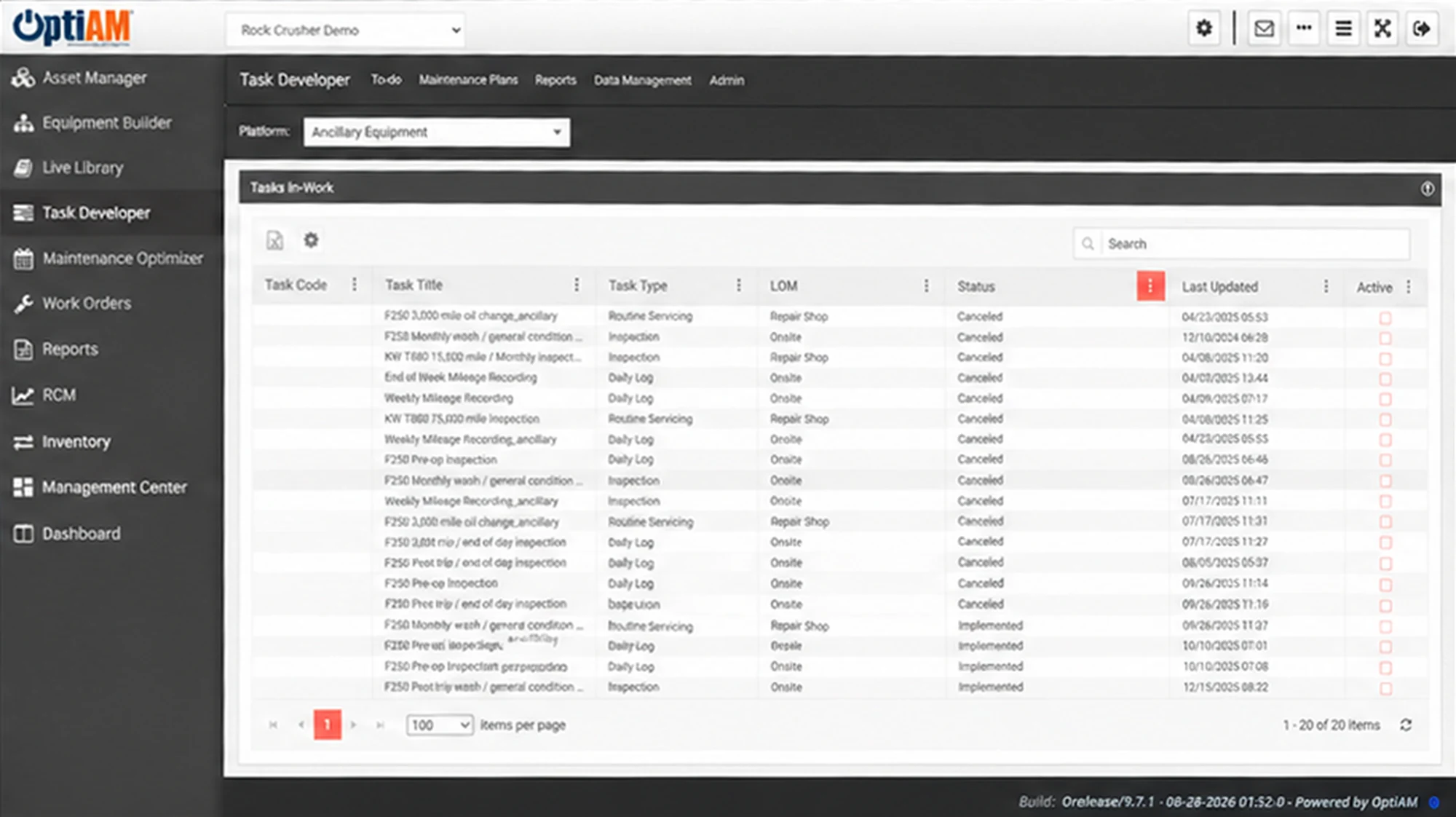
Task Developer is where the procedure for a job gets written and the resources it needs get identified, for preventive and corrective work alike. Tasks group into maintenance packages, revisions are tracked and releases controlled, and the released procedure becomes the automated checklist a technician works through in OptiAM GO.
The OptiAM platform
The Job Only Goes Right When the Right Person Is On Shift
Procedure is usually the least documented part of a maintenance program, and the most expensive part to lose.
The procedure lives in somebody’s head. The person who has done it two hundred times knows the order, the torque and the trick that saves an hour. Nobody else does, and that person is retiring in four years.
Nobody knows what the job needs until it starts. The technician reaches the asset and only then finds out about the part, the tool or the second set of hands, so the job stalls waiting on something that could have been staged.
Three versions are in circulation. The binder says one thing, the PDF on the shared drive says another, and the copy taped inside the panel is from 2019. Nobody can tell you which one is current.

Write the Procedure, and What It Takes to Do It
Task Developer supports developing the procedure and identifying the resources needed to support your assets. It covers preventive and corrective maintenance tasks, so planned work and repair work get documented the same way rather than one being written down and the other being remembered.
Because the resources are identified with the task instead of discovered during it, the parts, tools and people a job needs are known before anyone walks out to the asset.
Group Tasks Into Maintenance Packages
Tasks are grouped into maintenance packages, and that grouping is what lets Maintenance Optimizer schedule related work together rather than pulling the same asset offline three separate times in a month.
The package gets built once here, then scheduled, executed and recorded everywhere else in OptiAM.
Manuals, SOPs and EOPs From One Source
Task Developer generates maintenance manuals, standard operating procedures and emergency operating procedures. Revisions can be tracked and releases controlled, so there is one current version and a record of what changed.
That is the difference between a document somebody emailed around and a controlled procedure you can put in front of an auditor.
The Procedure Becomes the Checklist in the Field
Task Developer creates the automated checklists used in the OptiAM GO mobile application, so the technician works through the current released procedure on the device, online or offline, and completes the checklist at the point of performance. Live Library holds the wider technical documentation tied to each asset, searchable whether connected or disconnected, with room to add notes and comments against a document.
At a Glance
What Task Developer Does
Procedures for preventive and corrective work. Planned jobs and repairs get documented the same way, in the same place.
Resources identified with the task. The parts, tools and people a job needs are known before anyone walks out to the asset.
Tasks grouped into maintenance packages. Build the package once, then let Maintenance Optimizer schedule the whole thing together.
Manuals, SOPs and EOPs. Generate maintenance manuals, standard operating procedures and emergency operating procedures from the same source.
Revision tracking and release control. One current version, plus a record of what changed and when it was released.
Automated checklists for OptiAM GO. The released procedure becomes the checklist a technician works through on the device.
See One of Your Own Procedures Built Out
Bring a job that only one or two people on your team can do well, and we will walk through how it would be written, resourced, released and put on a device in OptiAM.
Common Questions
What is maintenance procedure software?
Maintenance procedure software is where the steps for a job, and the resources that job needs, are written down once and kept current so anybody qualified can carry the work out the same way. In OptiAM that is Task Developer, which supports developing procedures and identifying the resources needed to support your assets.
Written procedures are also the fastest way to onboard new techs. See how to train new maintenance technicians faster.
Does it cover corrective work or only preventive maintenance?
Both. Task Developer identifies the resources needed to perform preventive and corrective maintenance tasks, so a planned service and an unplanned repair are documented through the same process.
What is a maintenance package?
A maintenance package is a group of related tasks handled together rather than separately. Task Developer groups tasks into packages, and Maintenance Optimizer can then schedule a package as one item, which is how related work ends up in a single visit instead of three.
Can it produce SOPs and emergency procedures?
Yes. Task Developer can generate maintenance manuals, standard operating procedures and emergency operating procedures.
How are revisions and releases controlled?
Revisions can be tracked and releases controlled, so there is a defined current version of a procedure and a record of what changed rather than several copies circulating with no way to tell which one is authoritative.
How do procedures reach technicians in the field?
Task Developer creates automated checklists for use with the OptiAM GO mobile application. OptiAM GO runs on Apple, Android and Windows devices, works offline or online over cellular or Wi-Fi, and lets the technician complete electronic checklists at the point of performance.
How does Task Developer relate to Live Library?
Task Developer is where the procedure itself is written, revised and released. Live Library stores, associates and classifies the wider technical documentation tied to individual assets and provides searchable access to it connected or disconnected, including the ability to add notes and comments to documents.
How does a procedure connect to the work being done?
Work Order Manager manages, executes and documents the maintenance workload, and OptiAM GO carries both work orders and the automated checklists built in Task Developer out to the device. Maintenance Optimizer decides when the task or package is due.
How long does implementation take?
OptiAM is designed to be implemented quickly, in weeks rather than months, and supports an unlimited number of locations and assets. The timeline depends mostly on how many procedures and how much asset data you are bringing across, which is the first thing we scope on a call.
Is OptiAM available as SaaS or installed?
Both. The SaaS option is hosted in a professionally managed facility with redundant power, fire suppression, redundant tier 1 internet access and biometric physical access control, and we handle the licensing. The installed option runs in your own infrastructure on Microsoft Windows Server 2016 or later with IIS v10 or later, .NET Framework 4 or later and Microsoft SQL Server 2016 or later, with backups handled by your IT department.
Is OptiAM FedRAMP compliant?
Yes. OptiAM is FedRAMP compliant, and the platform uses a flexible role-based security model that can support any organizational structure.
Which standards does OptiAM support?
The architecture is standards based and supports compliance with SAE JA1011, SAE GEIA-STD-0007, SAE TA-STD-0017, ISO-55000 and the ASD S-Series IPS specifications.
See It in Your Own Operation
What a procedure has to cover looks different in a quarry than it does in a school district, and so does who is expected to follow it. If you want to see the version built for your operation, start with your industry: manufacturing and plants, aggregates and mining, food and beverage, energy and utilities, facilities, government and public works, schools and higher education, landscaping or farming and agriculture.
See Task Developer on Your Procedures
Tell us how your procedures are written and kept current today, and we will set up a 30-minute walkthrough.
"*" indicates required fields