
Put a Real Number on Your Downtime.
Free CMMS Savings Calculator.
Schedule maintenance on real asset usage and reduce unplanned downtime. Bring equipment records, maintenance work and inventory into one system, with ASI guiding implementation and user training.
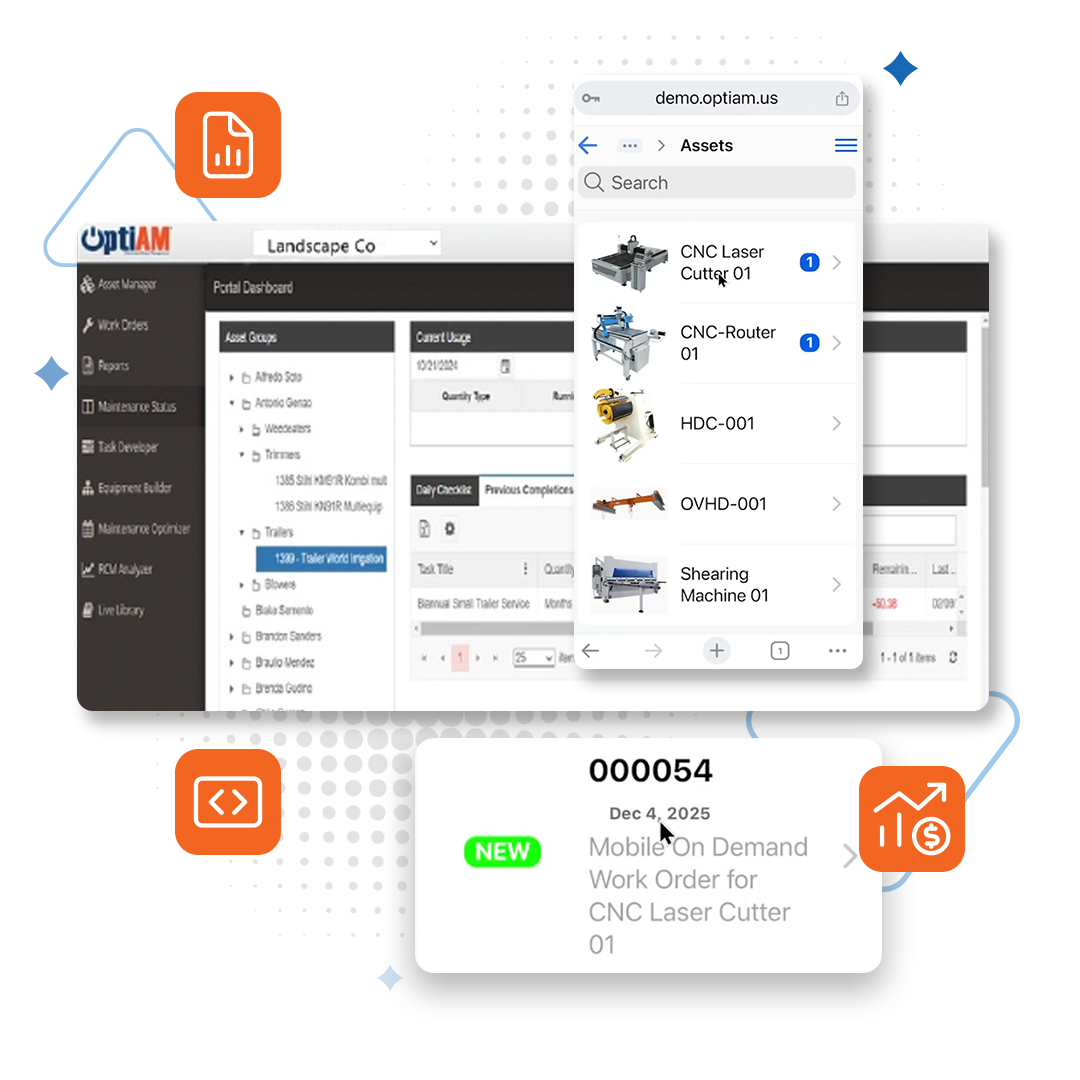
From breweries to manufacturing plants, facilities to field service — OptiAM moves maintenance teams from reactive firefighting to planned, usage-based work. Built by the engineers who keep military fleets flying. Simplified for your team.
ASI guides implementation and user training, so most teams are live in weeks, not months.
What is reactive maintenance really costing you?
Enter your own numbers. We apply published benchmarks from the U.S. Department of Energy, scaled back for year one, across the full life of your assets: registering them, maintaining them, stocking their parts and replacing them.
1Your operation
The basics about your team and how you track work today.
2Operate and maintain
Where most of the money is. Rough numbers are fine.
3Parts and replacement
Optional. Leave at zero to skip these stages.
$0 to $0See breakdown ↓
A conservative to expected range, not a guarantee. What you actually get depends on adoption and your starting point.
Savings across the asset lifecycle
OptiAM runs an asset from the day you register it to the day you retire it. Here is where your savings come from.
Want to pressure-test these numbers?
Send us your estimate and the OptiAM team will walk through it with you on a short call, using your equipment and your data. No pitch deck.
Review my numbers with OptiAMRather talk now? Call 904-402-8641Not sure where you stand? Take the 2-minute Maturity ScorecardHow we calculate this (and where the numbers come from)
- Downtime: the DOE's O&M Best Practices Guide reports 35 to 45% less downtime from a mature predictive maintenance program. You will not be mature in year one, so we use 10% (conservative) to 20% (expected). If less than half your work is reactive, we scale that down in proportion, because you have less left to fix.
- Reactive maintenance spend: the same guide reports that preventive maintenance saves 12 to 18% compared with running reactive. We apply that range only to the reactive share of your spend.
- Admin time: our assumption, not a published benchmark. Digital work orders, manuals and parts lookup give each tech back 15 to 30 minutes a day if you are on paper or spreadsheets, 5 to 15 minutes if you have a basic CMMS, and 0 to 5 minutes if you already run a full EAM system. We count 250 working days at your labor rate. This is capacity you get back for more planned work. It only turns into cash if it cuts overtime or contractor hours.
- Parts inventory: carrying cost is commonly estimated at 20 to 30% of inventory value a year, and we use 25%. We assume better visibility trims 5 to 10% of the stock you hold.
- Replacement: our assumption. If planned care stretches average asset life by 5 to 10%, the same replacement spend is spread over more years, which works out to 4.8 to 9.1% of your annual replacement budget.
- Not included: software and implementation cost, warranty recovery, compliance and audit time, energy savings and safety. We leave out anything we cannot put a defensible number on.
Source: U.S. Department of Energy, Federal Energy Management Program, Operations & Maintenance Best Practices Guide, Release 3.0, Chapter 5.
Send us your estimate
We will attach your numbers to the request, so the OptiAM team already knows your downtime, your spend and your team size before the call.
"*" indicates required fields
PROVEN AT


Every Unplanned Stop is a Profit Killer
The repair is never the expensive part. It is the shift you lost, the crew standing around, and the order you had to call a customer about. The question is not whether you can afford planned maintenance, it is whether you can afford to keep guessing.
Where an hour of downtime actually goes:
The repair bill is the smallest line item. Every operation is different, which is why the calculator uses your number, but the hour usually stacks up like this:
Lost output and margin on the line that stopped
A crew standing by while they wait on parts
Overtime and expedited freight to catch back up
Missed deliveries and customers you have to call
The Reality Check
Unplanned Equipment Failures Drain Your Profit
Manufacturing
One unexpected breakdown can blow your entire quarter's margin
Your maintenance team is always in firefighting mode
Breweries
Fermentation tank failure = lost batch = lost revenue
Bottling line stops during peak season are catastrophic
Facilities Management
Tenant complaints about HVAC destroy renewal rates
An after-hours callout costs more than the PM you skipped
Field Service/Lawncare
Truck breakdowns mean missed appointments and angry customers
Equipment failures during peak season are business killers
OptiAM EAM Software
From Reactive to Planned in Weeks, Not Months
Reliability-Centered Maintenance was developed for aircraft, where a missed failure is never an option. OptiAM brings that same analysis to your equipment, and your team can be running it in a matter of weeks.
Management Center
Management Center gives each user a real-time dashboard they build from ready-made widgets: equipment status, open work orders, active purchase orders and inventory, across whichever assets and sites they choose.
Asset Manager
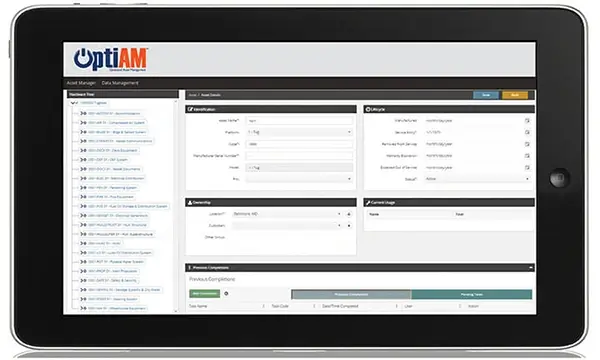
Keep one record per asset with serial number, location, custodian, status, warranty and service dates, usage readings, installed components, and a full history of component changes and maintenance.
Hardware Builder
Break complex equipment down into assemblies, sub-assemblies and components, so your team knows exactly what is installed where and every installation is on record.
Live Library
Live Library keeps manuals, SOPs, operating procedures, photos and video attached to the assets they belong to: searchable, and downloadable to OptiAM GO for use offline.
Task Developer
Create step-by-step task packages with checklists, resource requirements, and auto-generated SOPs your team can follow from any device.
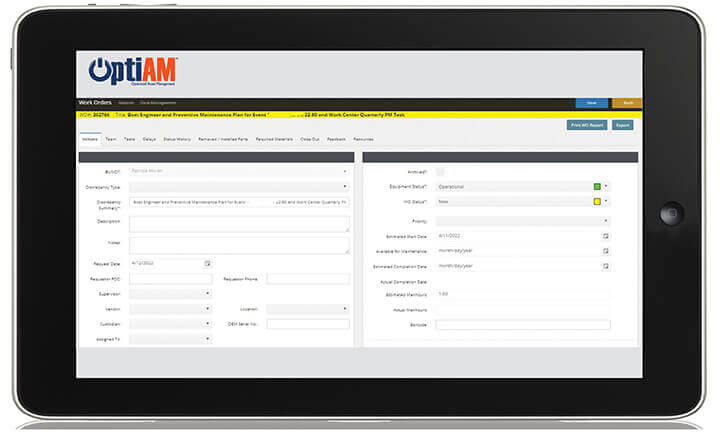
Work Order Manager
Work Order Manager runs work from request to close-out with your own statuses, multi-level sign-offs, and the ability to route work across multiple teams and locations.
Maintenance Optimizer
Maintenance Optimizer schedules work on actual asset usage, not arbitrary calendars. When a usage trigger set in Task Developer is met, it generates the work order with its tasks and inspections attached.
Inventory Manager
Inventory Manager tracks serialized and bulk stock across your enterprise, flags parts at their reorder point by location, and manages purchase orders and receiving in one place.
RCM Analyzer
Run reliability-centered maintenance analysis on your critical equipment. Find the likely failure modes, rank them by consequence, and build the PM plan that prevents them.
On the Job
Your Team’s Favorite Tool in the Field
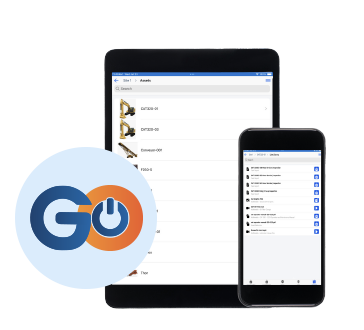
OptiAM GO is a Progressive Web App that works on any device — iOS, Android, Windows tablets — with full offline capability. Your technicians can scan parts, complete checklists, access technical manuals, and close work orders from anywhere, even without a signal. Everything syncs automatically when connectivity returns.
“Now, because of OptiAM we can make changes to PM tasks within minutes, which is immediately accessible to all users around the country.”
— Moran Towing
“The software is flexible and the team is open to our feedback. They are constantly making improvements.”
— Travis Martyn, LafargeHolcim
Multi-location operations, complex equipment
- Track assets with serial numbers, location, and warranty info
- Installed components and full maintenance history
- Spare parts tracking with reorder points
- Status, custodian and usage readings on every record
Efficient stock management
- Manage serialized assets and non-serialized bulk stocks
- View combined stock levels across any location hierarchy
- Define location-specific reorder points
- Tools for purchase orders, receiving, and inventory adjustments
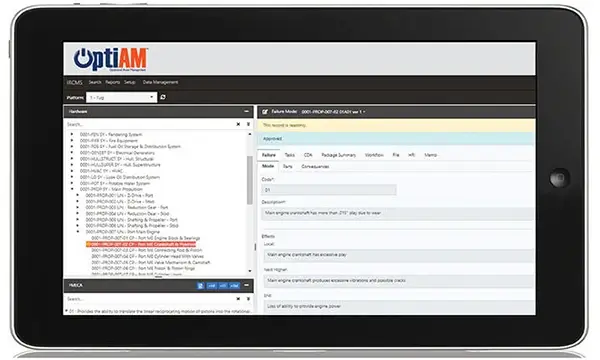
Preventive maintenance programs
- Full-featured work order management system
- Schedule based on asset usage and operational environment
- Automated work orders from usage triggers
- Near real-time equipment status
FAQs
What is CMMS Software?
Not sure you need one yet? Read 7 signs your maintenance team has outgrown Excel.
How can OptiAM save my business time?
- Streamlines maintenance processes.
- Improves asset availability, reducing downtime, and the time and money spent on unscheduled maintenance and poor maintenance planning.
- Enterprise-wide visibility of equipment status and maintenance events helps mitigate communication shortfalls.
- Simplifies operations by eliminating paperwork and turns data into actionable intelligence
What is the Difference Between CMMS and EAM?
- CMMS: more focused system specifically for managing maintenance operations like work orders, preventive maintenance schedules, and parts inventory.
- EAM: a holistic system that manages a physical asset's entire lifecycle, from procurement to decommissioning, integrating maintenance, finance, and strategic planning.
CMMS is a piece of an EAM. CMMS is more focused on maintenance scheduling while EAM is broader and encompasses everything related to asset management from procurement to decommissioning.
For the full side-by-side, read CMMS vs EAM: what’s the difference and which one do you need.
Is There a Mobile App?
Yes, OptiAM GO is a PWA (Progressive Web App) which is deployable to any platform, iOS, Android, Windows Tablets, etc. (Platform agnostic)
Does OptiAM Integrate With Other Systems?
Yes, APIs are available or can be developed.
But We're Not the Military
You don't need to be. The method came from aviation, where a missed failure grounds an aircraft. The software was built for breweries, quarries and plant floors, and with ASI guiding implementation and user training, most teams are live within weeks.
Implementation Sounds Complex
It's not, and our team helps you step-by-step through onboarding.
- Reduced implementation and training costs
- Simple and intuitive interface
- Ability to customize interfaces shortens learning curves
Implementation typically takes weeks rather than months, and can vary depending on # of assets, users, tasks, etc.
Support is included.
Can I add historical data?
Yes, the specifics would need to be discussed with implementation specialist.
Support is included.
What About Our Field Teams?
Mobile application enables point-of-performance recording - Your techs update in real-time from anywhere
System Requirements
Developed using the latest rich Internet application technology and standard data formats, this solution’s integrated data environment delivers an intuitive and consistent user experience across all major operating systems. It is available as an installed or software as a service (SaaS) system. Please refer to the systems requirements below:
INSTALLED
To host OptiAM® within your company’s IT infra-structure, an installed option is offered. The system can be installed on a shared or dedicated server which can be either physical or virtual. The operating system must be Microsoft Windows Server 2016 or later which should include IIS v10 or later and .NET Framework 4 or later. OptiAM® also requires Microsoft SQL Server 2016 or later. If the mobile components are to include an additional license for Adobe ColdFusion 10 or later must be provided. All backups and restoration would be the responsibility of your company IT department.
SaaS
OptiAM® is also offered as Software as a Service (SaaS). The many advantages of the SaaS solution include easier setup, lower initial cost, painless upgrades and no system administration. The hosted solution provides for data security, redundancy and backup. Servers are hosted in a professionally managed hosting facility that provides for redundantbackup power, fire suppression, redundant tier 1 Internet access and biometric controlled physical access. We manage all software licensing for you.