Computerized Maintenance Management System
CMMS Software Built on Reliability Engineering, Not a Work Order Log
OptiAM is a web-based CMMS and enterprise asset management system that runs maintenance across everything you own, from one shop to an unlimited number of sites and assets. Work orders, preventive schedules, parts, procedures and technical documentation live in one database, and the mobile app records work at the point of performance whether or not there is signal. Scheduling is driven by how each asset is actually used and the environment it works in, not a calendar date somebody picked.
Built on proven reliability and supportability analysis. Runs on any device, online or off. Unlimited sites and assets, with rapid implementation in weeks, not months.
Book a 30-Minute Demo
Tell us about your operation and we will walk you through OptiAM on equipment like yours.
"*" indicates required fields
The OptiAM platform
What a CMMS Actually Does
A computerized maintenance management system holds every asset you maintain, its history and its schedule, then turns that into the work that has to happen. Done properly it does three jobs. It plans the work, it runs the work, and it proves the work was done. Most tools sold as a CMMS only do the middle one.
It plans the work
Every asset carries its usage, its condition and its maintenance history, so the system generates the job before something fails instead of recording it afterwards. Schedules follow runtime hours, mileage and environment rather than a fixed date.
It runs the work
Work orders route to the right crew with the procedure attached, carry as many sign-off levels as your process needs, and can control subordinate orders when one job crosses several work centers.
It proves the work
Every completed job, part consumed and inspection stays time-stamped and searchable, so an audit, a warranty claim or a budget request has evidence behind it instead of a recollection.
Most CMMS Tools Are Work Order Logs
A work order log records what somebody already decided to do. It cannot tell you what you should be doing, how often, or whether the task is worth performing at all. That decision comes from analysis, and the analysis layer is the half most CMMS products do not have. OptiAM was built from that end first.
Reliability Centered Maintenance
OptiAM runs RCM analysis against SAE JA1011, the standard that defines what a real RCM process is. It looks at how each asset actually fails, what the failure costs, and which maintenance is worth doing about it. The PM schedule comes out of that, not out of a vendor manual or a habit.
Procedures Built From the Analysis
Task Developer turns the analysis into the work. It identifies the resources each task needs, groups tasks into maintenance packages, and generates maintenance manuals, SOPs and emergency procedures with tracked revisions and controlled releases, then delivers them to the mobile app as checklists.
Built to a Standard, Not a Feature List
The architecture supports SAE JA1011, SAE GEIA-STD-0007, SAE TA-STD-0017, ISO 55000 and the ASD S-Series IPS specifications. Alongside RCM it carries product support analysis, maintenance planning, spare parts analysis and life-cycle cost analysis.
One Database, From the Work Request to the Signed-Off Record
The reason a CMMS breaks down is usually not the work order screen. It is that parts live in one system, procedures live in a binder, and asset history lives with whoever has been there longest. OptiAM runs all of it on one asset hierarchy with role-based permissions, so the technician opening a work order gets the procedure, the parts and the full history of the machine in the same place, and the person approving it sees the same record.
Work Orders, From the Request to the Sign-Off
Work Order Manager runs the full lifecycle. Raise the job, route it to the right work center, attach the procedure the technician needs, and close it out through as many sign-off levels as your process requires. Controlling and subordinate work orders keep a plant overhaul or a storm response coordinated across several crews.
Maintenance Optimizer decides when the work should happen. It schedules against each asset’s own usage and operating environment rather than a fixed calendar, groups tasks into maintenance packages to cut repeat trips, and raises work orders automatically when a task’s usage trigger is met. It also carries the dates that are easy to miss, like contract and warranty renewals and one-time bulletins.
At a Glance
What OptiAM Does as a CMMS
Work Order Manager
Your own work order statuses with multiple sign-off levels. Controlling and subordinate work orders route work across several work centers without anyone losing the thread.
Maintenance Optimizer
Scheduling driven by usage, not the calendar. Each asset is scheduled on its own runtime and operating environment, grouped into maintenance packages, with work orders generated automatically when usage triggers are met.
Inventory Manager
Serialized and bulk stock, by location. Combined stock levels at any level of the hierarchy, reorder points per site, plus purchase orders, receiving and adjustments.
Asset Manager
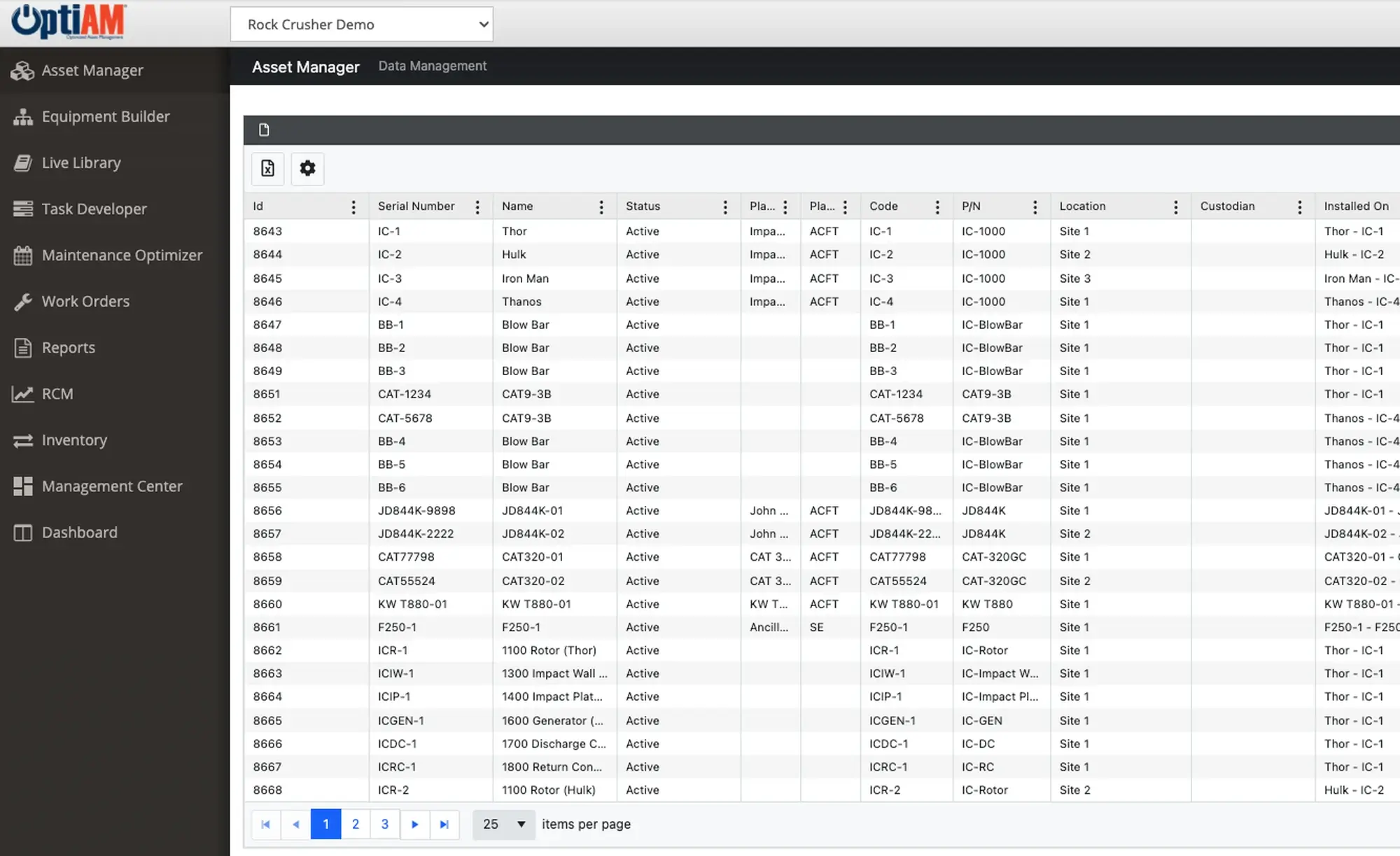
One record per asset. Serial number, location, custodian, status, usage readings, installed components and the full maintenance history behind it.
Task Developer
Procedures your crews actually follow. Build SOPs and emergency procedures with tracked revisions and controlled releases, then deliver them to the mobile app as checklists.
Live Library
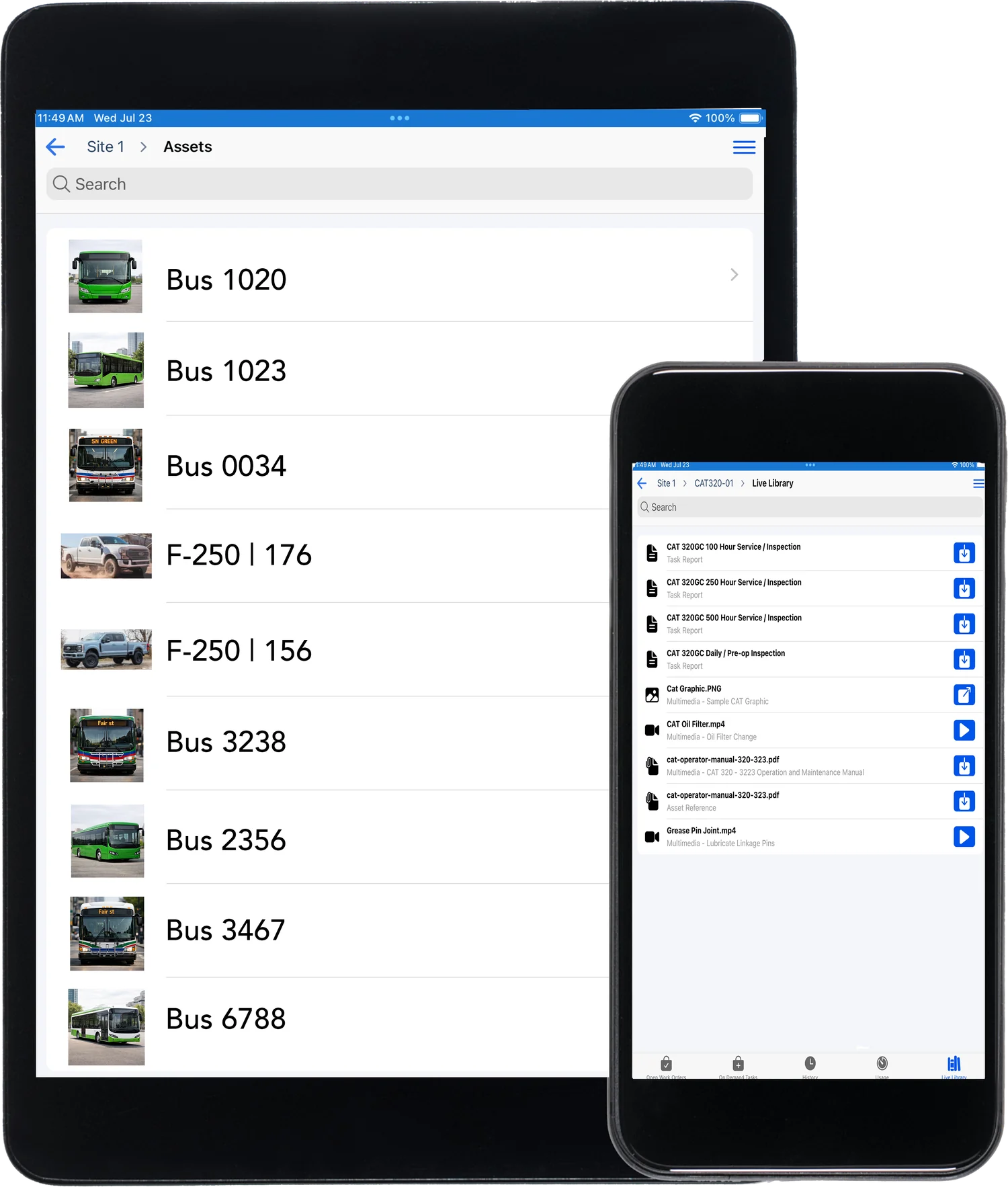
Documentation tied to the asset. Manuals, drawings and technical data, searchable, with notes and comments, available connected or disconnected in the field.
See It Running on Your Own Equipment
Book a 30-minute demo. We will look at your assets, your work order flow and the way you handle parts, and show you what running all of it in one system looks like.
A short call so we understand your operation
A walkthrough on equipment like yours
A rollout plan that has you live in weeks
Common Questions
What is a CMMS?
A computerized maintenance management system is the system of record for everything you maintain. It holds each asset, its history and its schedule, generates the work orders that keep it running, tracks the parts and procedures that work needs, and keeps a time-stamped record of what was done. The point of one is to move maintenance from reacting to failures to planning around them.
Not sure you need one yet? Read 7 signs your maintenance team has outgrown Excel.
What is the difference between a CMMS and an EAM?
A CMMS runs the maintenance. An EAM manages the asset across its whole life, from procurement through operation to disposal, and adds the analysis that decides what the maintenance should be in the first place. OptiAM is both. The work order, preventive maintenance and parts side is what most people mean by a CMMS, and the reliability, supportability and life-cycle cost analysis behind it is the EAM half.
For the full side-by-side, read CMMS vs EAM: what’s the difference and which one do you need.
Is OptiAM a CMMS or an EAM?
Both. OptiAM is a CMMS and an EAM in one platform. Most teams start with the CMMS side, meaning work orders, preventive maintenance and parts, then grow into full asset lifecycle management, including reliability analysis and life-cycle cost, without switching systems. How far you go depends on which modules you turn on. Need the enterprise side? See OptiAM as an EAM.
What can you manage in OptiAM?
Anything you maintain. Production equipment, fleet vehicles, facility systems and plant infrastructure all live in the same registry, grouped into physical and functional hierarchies as deep as you need them. Each asset carries serial number, location, custodian, status, usage readings, installed components and its maintenance history.
Can OptiAM schedule by runtime hours instead of calendar dates?
Yes. Maintenance Optimizer schedules against each asset’s own usage and operating environment rather than a fixed date, so a machine that ran every night in January and one that ran twice both get serviced when they actually need it. It can group tasks into maintenance packages to cut repeat trips, and raise work orders automatically when a task’s usage trigger is met.
How many sites and assets can OptiAM handle?
There is no limit built into the platform. The web-based architecture supports an unlimited number of locations and assets, and the role-based security model is flexible enough to match how your organization is actually structured, so one site and fifty sites run on the same hierarchy.
Does OptiAM work offline in the field?
Yes. OptiAM GO works offline or online over cellular or Wi-Fi, on Apple, Android and Windows devices. Technicians keep working in a pump house, a basement or at the far end of a site with no signal, and the app synchronizes work orders when the device comes back into range.
How fast can we get OptiAM running?
Weeks, not months. You bring the asset list, we handle the build and walk your team through it. If your data lives in spreadsheets, binders, or another system, that is normal. Getting it into shape is part of getting started, not something you have to finish first.
What does OptiAM cost?
Pricing is based on what you are managing, mainly the number of assets and the number of facilities you bring in. Adding people to a dashboard does not change the price, so a manager and six technicians can each keep their own view without it costing you more. If you want to check that against what reactive maintenance is costing you today, run the savings calculator. For a real number on your operation, the demo call is where we scope it.
Which standards does OptiAM align to?
OptiAM is built on a standards based architecture and supports compliance with SAE JA1011, SAE GEIA-STD-0007, SAE TA-STD-0017, ISO 55000 and the ASD S-Series IPS specifications. Andromeda Systems, which builds OptiAM, is an ISO 9001:2015 company.
What can a technician do from a phone or tablet?
Open the assigned work order, read the procedure and any manual or drawing tied to that asset, watch an instructional video, complete an electronic checklist, and record the result at the point of performance instead of writing it on paper and entering it later.
Is OptiAM cloud-based or installed?
Either. OptiAM runs as SaaS or installed on your own infrastructure, so it works for operations with strict IT or security requirements as well as for teams that would rather not run another server.
How is OptiAM different from a generic CMMS?
Most CMMS tools give you a work-order log and a monthly report. OptiAM is built on Reliability Centered Maintenance and Supportability Analysis, so it looks at how your assets actually fail and tells you what to maintain, how often, and what it costs you to get it wrong. That analysis is what drives the schedule, the parts you stock and the procedures your crews follow, instead of a calendar somebody set once and nobody revisits.
Start With Your Industry
A CMMS looks different in a quarry than it does in a school district, because the assets, the compliance and the crews are different. If you want to see the version built for your operation, start with your industry: manufacturing and plants, food and beverage, energy and utilities, mining and aggregates, facilities, government and public works, schools and campuses, farming and agriculture, or landscaping.
Every Asset, One Record
Status, location and full maintenance history for every piece of equipment, in one registry your whole team works from.