CMMS and EAM software for facilities teams
CMMS Software Built for Facilities Teams
Every building, every system and every crew in one place, with preventive maintenance, work orders, service requests and inspection records.
- ✓Inspection-ready records for the fire marshal, the surveyor and your insurance carrier
- ✓Offline mobile that works in basements, mechanical rooms and on the roof
- ✓Every building, system and vehicle on one platform, with no asset limits
Proven reliability methods, without the enterprise price tag. Runs on any device, online or off. ASI guides implementation and user training, and loads your buildings and systems with you.
See OptiAM on Your Buildings
Tell us about your sites and we will set up a 30-minute walkthrough.
"*" indicates required fields
Trusted Where Uptime is the Business
“The OptiAM team has been extremely helpful in explaining the software and identifying features that are applicable to our situation. The software is flexible and the team is open to our feedback. They are constantly making improvements to the software.”
— Travis Martyn, LafargeHolcim
“In the past, we were only capable of updating maintenance plans annually, because the master document was kept locally and distributed as hard copies. Now, because of OptiAM, we can make changes to PM tasks within minutes, immediately accessible to all users around the country.”
— Moran Towing
Built on Reliability Centered Maintenance (SAE JA1011) and ISO 55000, from Andromeda Systems, an ISO 9001:2015 veteran-owned company that has supported some of the U.S. military’s most demanding fleets.
OptiAM® EAM Software
One System to Run Maintenance Across Every Building and Site
OptiAM is enterprise asset management (EAM) and CMMS software built on Reliability Centered Maintenance. It was made for teams that run a lot of buildings with too few people: a rooftop unit failing at one site, a fire panel due at another, and a backlog nobody can see whole. OptiAM puts every building, system and storeroom on one hierarchy, schedules PM on runtime or the calendar as each system needs, and gives techs a phone app that keeps working in a basement mechanical room with no signal.
Life Safety
Every Life Safety Test, Logged Where the Inspector Will Look
A fire marshal does not want to hear that the sprinkler test happened. They want the record. In a multi-building portfolio those records end up in a different binder at every site, and the missing one is always the one they ask for. OptiAM puts fire alarm, sprinkler, extinguisher, emergency lighting, elevator and generator testing on the asset itself, with the procedure, the sign-off and the date.
- Life safety tests scheduled on their required interval in every building
- Lockout/tagout and safety steps built into the work order, with controlled revisions
- A job cannot close until the right supervisor signs it off
- Vendor-performed tests recorded on the same asset as your own work

Deferred Maintenance
Know What You Are Deferring, Building by Building
Every facilities team defers work. The problem is not knowing what, where, or for how long. When every finding becomes a tracked work order, the backlog stops living in someone’s head. You can see which buildings carry the most open work, which systems keep failing and what has been pushed three times.
- Open and deferred work by building, system and trade
- Repeat failures by asset, so the worst units are obvious
- Finding to work order to close-out, documented end to end
- Asset history you can attach to a capital or replacement request
Built for Every Building You Run, From the Roof to the Boiler Room
Manage the whole portfolio on one platform, with unlimited sites and assets. Every building, every system, and every piece of grounds and fleet equipment sits in the same system, on the same hierarchy, with the same maintenance history behind it.
HVAC and Mechanical
Rooftop units, air handlers, chillers, cooling towers, boilers, pumps, VAV boxes, exhaust fans, and building automation controls
Life Safety and Building Systems
Fire alarm panels, sprinkler systems, extinguishers, emergency lighting, elevators, backflow preventers, emergency generators, switchgear, and plumbing
Grounds, Fleet, and Support Equipment
Mowers, snow equipment, service trucks and vans, carts, forklifts, kitchen and laundry equipment, plus shop tooling and calibrated test gear
Capabilities
From Work Orders to Spare Parts, in One Place
Maintenance Optimizer
Usage-Based Preventive Maintenance. Schedule on real runtime hours instead of the calendar, so a chiller that runs all summer and a standby generator that runs once a month each get serviced when they need it. Wear rates change with load and season, and OptiAM schedules to match.
Work Order Manager
Work Orders, Fed by Service Requests. Plan, assign, and sign off maintenance with parent and subordinate work orders that route across trades and buildings, so a chiller overhaul or a summer shutdown stays coordinated from one record. Coming in OptiAM 10.0.0, service requests from the web or OptiAM GO become linked work orders once a reviewer approves them.
Inventory Manager
Spare Parts Across Every Building. Track serialized and bulk stock, set reorder points per shop, and move surplus belts, filters, motors, or pumps between buildings instead of buying them twice.
Asset Manager
One Asset Record, Found Fast. Every record holds serial number, warranty, vendor, and full service history, and Hardware Builder breakdowns show exactly what goes where, so techs stop hunting for records or ordering the wrong filter.
Management Center
A Live View of Every Building. One dashboard shows what is down, what is due, and where the backlog is across every building and site, so you can move people and parts to the right place first and show leadership where the deferred work actually sits.
Task Developer
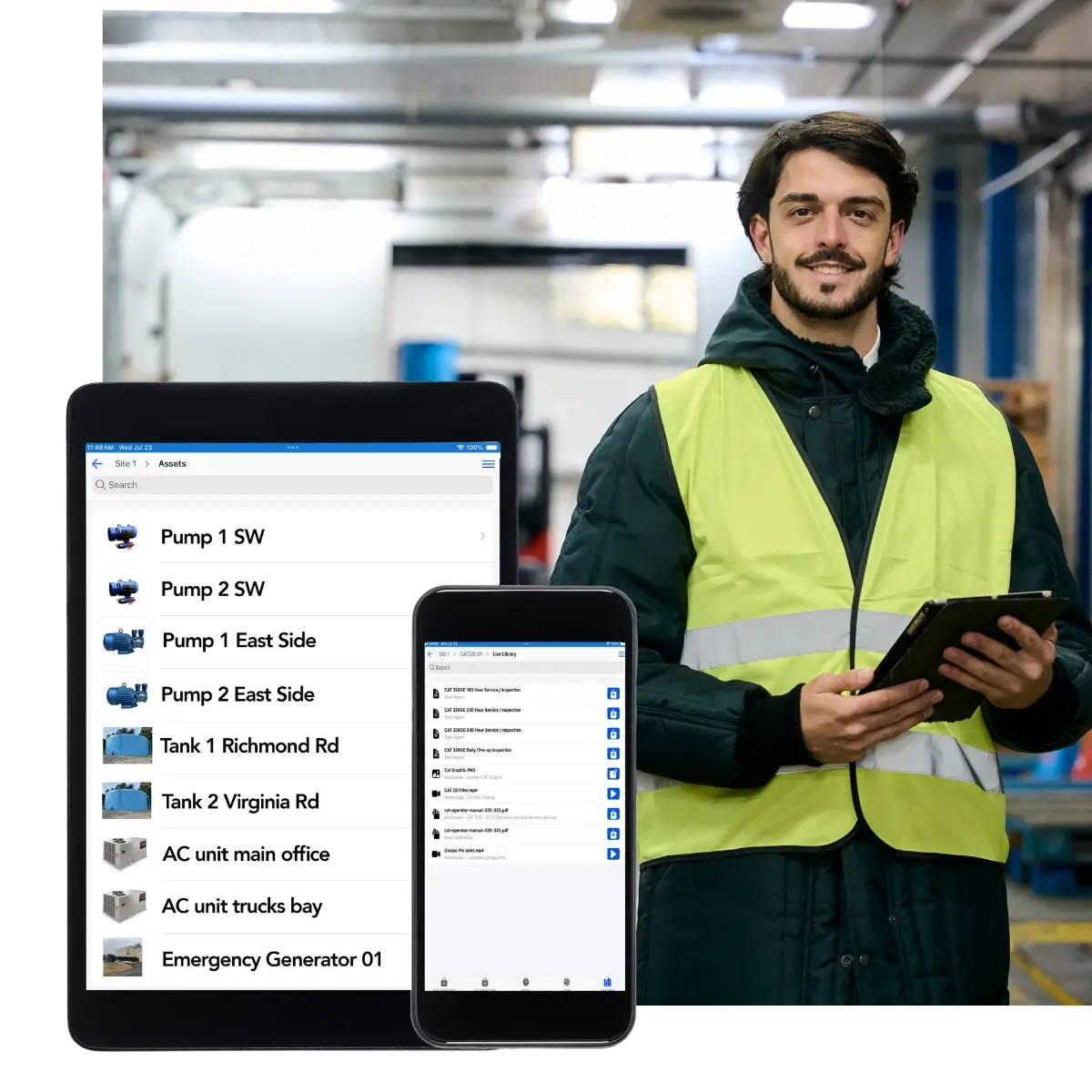
Procedures Your Techs Actually Follow. Build checklists, standard operating procedures, and emergency procedures with controlled revisions, then deliver them, along with every manual and spec sheet in Live Library, straight to the phone through OptiAM GO.
What Sets the Interval in a Commercial Building
Most of a building PM program is set by code, the insurance carrier and the manufacturer, not picked by the facilities team. This is the baseline most teams work from.
| System | What sets the interval | Common frequency | What a miss looks like |
|---|---|---|---|
| Fire alarm systems | NFPA 72 | Annual inspection and test, some devices semiannually | A failed device nobody knew about, found by the fire marshal |
| Sprinkler systems | NFPA 25 | Quarterly and annual inspections, five-year internal assessment | An impairment and a call from your carrier |
| Fire extinguishers | NFPA 10 | Monthly visual check, annual maintenance | An expired tag on the first one the inspector looks at |
| Emergency and exit lighting | NFPA 101 | Monthly 30-second test, annual 90-minute test | A dark stairwell in a power outage |
| Kitchen hood suppression | NFPA 96 and 17A | Semiannual inspection | A grease fire with nothing to stop it |
| Fire doors | NFPA 80 | Annual inspection | A door that will not close and a compartment that will not hold |
| Emergency generators | NFPA 110 | Weekly inspection, monthly exercise under load | The generator does not pick up when the power drops |
| Elevators and escalators | ASME A17.1 and your state | Periodic inspection, annual and five-year tests | A unit shut down by the state inspector |
| Backflow preventers | State and local code | Annual test by a certified tester | A water department violation |
| Rooftop units and air handlers | ASHRAE/ACCA Standard 180 | Filters, belts and coils on a set schedule or on runtime | Hot calls all July and a compressor that dies early |
| Cooling towers | ASHRAE 188 water management program | Ongoing per your plan, fully documented | Legionella exposure and a serious finding |
| Boilers and pressure vessels | State jurisdiction | Annual inspection and certificate | No heat and no certificate to operate |
Frequencies here are the common baseline, not your requirement. Your actual intervals come from your AHJ, your insurance carrier, the manufacturer and your own risk assessment. What OptiAM does is hold whichever interval you are held to, trigger it on time, and keep the completed record on the asset.
OptiAM Against a Help Desk and Your BAS
Facilities teams often assume the ticketing tool or the building automation system already covers maintenance. Each does one job well. Neither one is a maintenance system.
| Capability | Help desk or ticketing tool | Building automation system | OptiAM |
|---|---|---|---|
| Alarms, setpoints and live equipment control | No | Yes | No, that stays in your BAS |
| Occupant and tenant requests | Yes | No | Coming in OptiAM 10.0.0 |
| Preventive maintenance on runtime or the calendar | Limited | No | Yes |
| Life safety testing with records on the asset | No | No | Yes |
| Full maintenance history per asset | Ticket history only | Trend data only | Yes |
| Spare parts by building and storeroom | No | No | Yes |
| Procedures and manuals on a phone, offline | No | No | Yes |
| RCM analytics that adjust intervals off failure history | No | No | Yes |
| Unlimited buildings and assets | Usually priced per user | Priced per point or controller | Yes, no per-asset fee |
Keep your BAS for control and your help desk for the front door. OptiAM is where the maintenance gets planned, done and proven.
A real week in facilities
A Chiller Trips in July. Here Is How It Plays Out.
One failure, five buildings, and everything the tech needs already in the system.
- 1
Monday, 2 p.m.
Building C starts running warm. The supervisor opens a work order on the chiller and assigns it to the HVAC tech on site.
- 2
On the roof, no signal
The tech opens the chiller on OptiAM GO. The manual and procedure are already downloaded, and the history shows the same compressor tripped twice in May.
- 3
The part
The contactor is not in Building C's storeroom. Building A has two. The transfer is logged and the unit is back up the same afternoon.
- 4
Sign-off
The job closes only after the supervisor approves it, with readings and photos on the record.
- 5
Next month
Three trips in one season shows up in the failure history, so the PM interval on that unit gets tightened before it fails again in August.
Facilities Are Usually Only Half the Job
Most teams we work with run more than the buildings. There is a central plant behind them, grounds around them, and often a public or campus mandate on top of it. OptiAM handles all of it in the same system on the same hierarchy. If that is your side of the operation, we have a page for it too: energy and utilities, government and public works, schools and campuses, hospitals and clinics, landscaping and grounds, or the vehicle and equipment fleet.
See What OptiAM Does for Your Buildings
Book a 30-minute demo. We will look at your buildings, your systems, your inspection schedule, and your deferred maintenance list, and show you exactly how OptiAM handles them.
A short call so we understand your sites
A walkthrough on equipment like yours
A rollout plan built around your buildings
Common Questions
What is the best CMMS for facilities management?
The right one is the one your techs will actually use in the field. For a facilities team that usually means preventive maintenance driven by real runtime instead of a calendar, work orders that route across trades and buildings, service requests that become linked work orders once approved (coming in OptiAM 10.0.0), spare parts tied to a shop, and procedures a tech can pull up in a basement mechanical room with no signal. OptiAM does all of that in one system and adds Reliability Centered Maintenance analysis on top, so your PM program gets better over time instead of just recording what already broke.
If your organization already put facilities on an ERP maintenance module, read CMMS vs ERP for facilities for what to look for and how to make the case for a change.
Does OptiAM work offline in a basement or mechanical room?
Yes. OptiAM GO is a progressive web app that works fully offline on Apple, Android, and Windows devices. Techs complete work orders, run checklists, capture photos, scan parts, and pull up asset history in a boiler room, on a roof, or in a building with no signal. Everything syncs automatically when the device is back in range.
How does OptiAM support life safety and inspection compliance?
Fire alarm and sprinkler inspections, backflow tests, elevator certificates, emergency generator runs, and lockout/tagout steps are built into the task package, so they travel with the work order to the technician’s device. Revisions are controlled, so nobody works off an outdated sheet, and work orders support multi-level sign-off so a job cannot close until the right person approves it. Every completed job leaves a time-stamped record you can produce for a fire marshal, an insurance carrier, or an internal safety audit.
Will OptiAM help with inspections and accreditation surveys?
Yes. Inspectors and surveyors want to see that equipment is maintained on a defined schedule, that the work actually happened, and that you can prove it. OptiAM holds the schedule, the completed work orders, the maintenance history for every asset, and the controlled procedures behind them. When someone asks for evidence on a specific generator, fire pump, or air handler, you pull it up instead of digging through binders.
What equipment can OptiAM manage?
Anything with a maintenance requirement. HVAC and mechanical like rooftop units, air handlers, chillers, cooling towers, boilers, pumps, and building automation. Life safety and building systems like fire panels, sprinklers, extinguishers, emergency lighting, elevators, backflow preventers, generators, switchgear, and plumbing. Plus grounds and fleet equipment, kitchen and laundry equipment, and the shop tooling and calibrated test gear behind all of it.
Can OptiAM handle service requests from staff and tenants?
Yes. Requests come into the same queue as planned work, so a broken thermostat and a scheduled filter change sit in one backlog your team prioritizes together. Every request becomes a tracked work order with an owner, a status and a close-out record, which is what turns a vague sense that you get a lot of calls into a number you can put in front of leadership.
What does getting started look like?
Start with your asset list and current PM schedules, even if they live in spreadsheets. ASI loads your buildings and systems with you, builds out the life safety schedules first, and trains your techs and supervisors on OptiAM GO and the web app.
Can OptiAM manage maintenance across multiple buildings and campuses?
Yes. OptiAM handles unlimited sites and assets on one platform, with physical and functional hierarchies so every building, floor and system rolls up correctly. Inventory is tracked per shop with location-specific reorder points, and you can see combined stock at any level of the hierarchy, so you can move a surplus part between buildings instead of buying another.
Is OptiAM cloud-based or installed?
Either. OptiAM runs as SaaS or installed on your own infrastructure, so it works for districts, hospitals and agencies with strict IT or security requirements as well as for teams that would rather not run another server.
How is OptiAM different from a generic CMMS?
Most CMMS tools are work-order logs. They record what you did after you already decided to do it. OptiAM is built on Reliability Centered Maintenance and Supportability Analysis, so it looks at how your assets actually fail and tells you what to maintain, how often, and what it costs you to get it wrong. That is the difference between tracking maintenance and improving it.
How do we get our deferred maintenance backlog under control?
Start by getting it out of people’s heads and into one list. Every finding a tech logs becomes a work order with an asset, a priority and a cost attached, so the backlog stops being a feeling and becomes a report. From there OptiAM’s Reliability Centered Maintenance analysis tells you which deferred items are actually likely to fail and what it costs you when they do, which is the difference between a wish list and a capital request that gets funded..
Does OptiAM connect to our building automation system?
Not out of the box. Your BAS keeps doing control and alarms, and OptiAM holds the maintenance plan, the work and the records. Connecting the two would be a development project, so bring it up on the demo if it matters to you.
Can OptiAM track vendor and contractor work?
Yes. Work done by your fire protection, elevator or HVAC contractors is recorded on the same asset as your own work, so the history is complete when someone asks for it.
Can we track life safety testing across every building?
Yes. Each fire alarm panel, sprinkler riser, extinguisher, generator and elevator gets its own schedule and record in every building, so you can see what is due or overdue across the whole portfolio.