Your Equipment Knows it’s About to Fail.
You Should Too.
CMMS and EAM software for plants, fleets and facilities. Work orders, PM, parts and field access in one system.
Schedule maintenance on real asset usage and reduce unplanned downtime. Bring equipment records, maintenance work and inventory into one system, with ASI guiding implementation and user training.
PROVEN AT

OptiAM is built by Andromeda Systems Incorporated, a reliability engineering company that has supported NAVAIR, the F-35 program and US Army hospital facilities since 2005. Who builds OptiAM

Every Unplanned Stop is a Profit Killer
The repair is never the expensive part. It is the shift you lost, the crew standing around, and the order you had to call a customer about. The question is not whether you can afford planned maintenance, it is whether you can afford to keep guessing.
What preventable failures cost per hour:
Unplanned equipment failures don’t just disrupt your schedule. They drain your margin. Here’s what preventable downtime costs per hour:
Manufacturing line down: $50,000/hour
Brewery packaging line: $25,000/hour
Commercial HVAC failure: $10,000/hour
Field service truck down: $2,500/day
The Reality Check
Unplanned Equipment Failures Drain Your Profit
Manufacturing
One unexpected breakdown can blow your entire quarter’s margin
Your maintenance team is always in firefighting mode
Breweries
Fermentation tank failure = lost batch = lost revenue
Bottling line stops during peak season are catastrophic
Facilities Management
Tenant complaints about HVAC destroy renewal rates
An after-hours callout costs more than the PM you skipped
Field Service/Lawncare
Truck breakdowns mean missed appointments and angry customers
Equipment failures during peak season are business killers
OptiAM EAM Software
From Reactive to Planned in Weeks, Not Months
Reliability-Centered Maintenance was developed for aircraft, where a missed failure is never an option. OptiAM brings that same analysis to your equipment, and your team can be running it in a matter of weeks.
Management Center
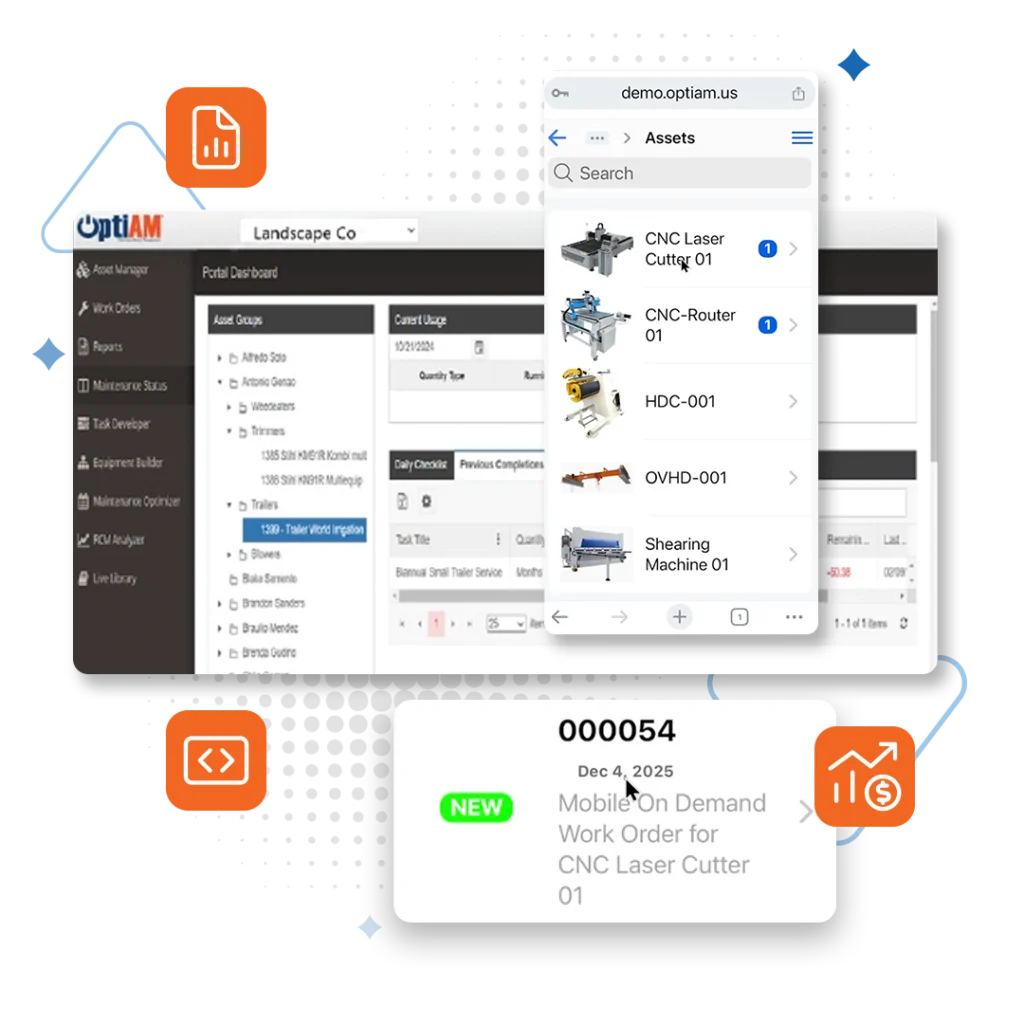
Management Center gives each user a real-time dashboard they build from ready-made widgets: equipment status, open work orders, active purchase orders and inventory, across whichever assets and sites they choose.
Asset Manager
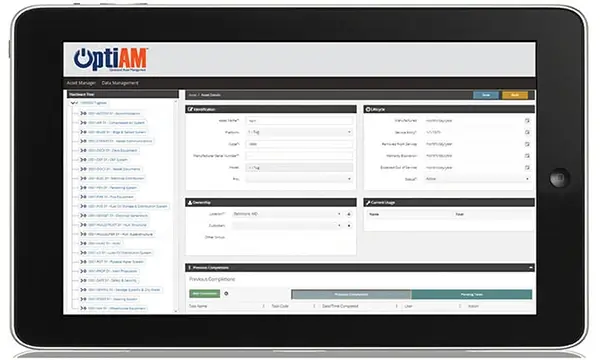
Keep one record per asset with serial number, location, custodian, status, warranty and service dates, usage readings, installed components, and a full history of component changes and maintenance.
Hardware Builder
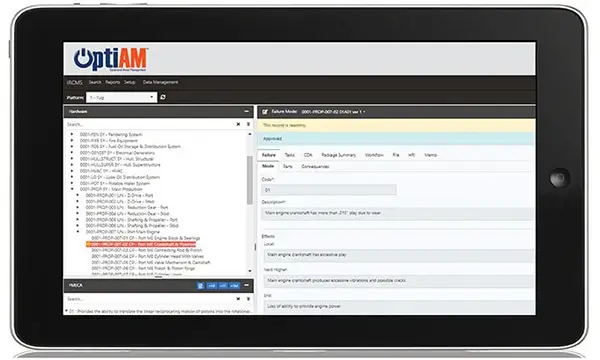
Break complex equipment down into assemblies, sub-assemblies and components, so your team knows exactly what is installed where and every installation is on record.
Live Library
Live Library keeps manuals, SOPs, operating procedures, photos and video attached to the assets they belong to: searchable, and downloadable to OptiAM GO for use offline.
Task Developer
Create step-by-step task packages with checklists, resource requirements, and auto-generated SOPs your team can follow from any device.
Work Order Manager
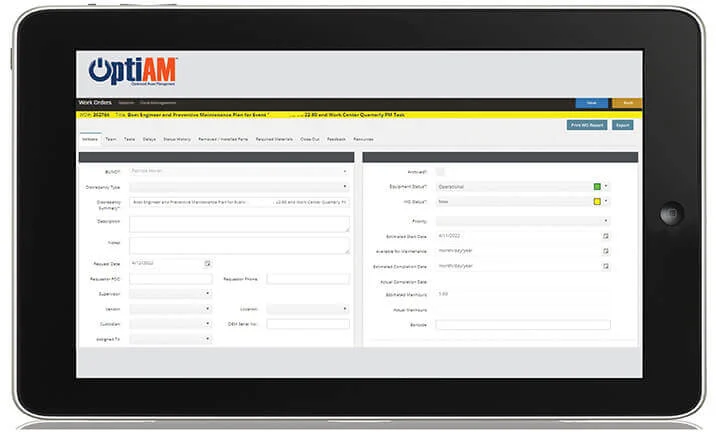
Work Order Manager runs work from request to close-out with your own statuses, multi-level sign-offs, and the ability to route work across multiple teams and locations.
Maintenance Optimizer
Maintenance Optimizer schedules work on actual asset usage, not arbitrary calendars. When a usage trigger set in Task Developer is met, it generates the work order with its tasks and inspections attached.
Inventory Manager
Inventory Manager tracks serialized and bulk stock across your enterprise, flags parts at their reorder point by location, and manages purchase orders and receiving in one place.
RCM Analyzer
Run reliability-centered maintenance analysis on your critical equipment. Find the likely failure modes, rank them by consequence, and build the PM plan that prevents them.
On the Job
Your Team’s Favorite Tool in the Field
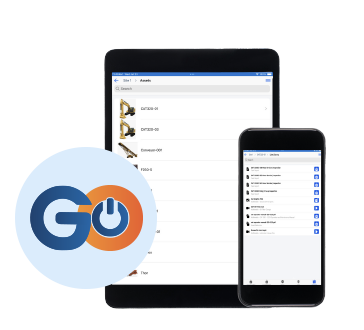
OptiAM GO is a Progressive Web App that works on any device (iOS, Android and Windows tablets) with full offline capability. Your technicians can scan parts, complete checklists, access technical manuals, and close work orders from anywhere, even without a signal. Everything syncs automatically when connectivity returns.
“Now, because of OptiAM we can make changes to PM tasks within minutes, which is immediately accessible to all users around the country.”
Moran Towing
“The software is flexible and the team is open to our feedback. They are constantly making improvements.”
Travis Martyn, LafargeHolcim
Multi-location operations, complex equipment
- Track assets with serial numbers, location, and warranty info
- Installed components and full maintenance history
- Spare parts tracking with reorder points
- Status, custodian and usage readings on every record
Efficient stock management
- Manage serialized assets and non-serialized bulk stocks
- View combined stock levels across any location hierarchy
- Define location-specific reorder points
- Tools for purchase orders, receiving, and inventory adjustments
Preventive maintenance programs
- Full-featured work order management system
- Schedule based on asset usage and operational environment
- Automated work orders from usage triggers
- Near real-time equipment status
Straight Answers to the Three Things You’re Thinking
“We’re not the military.”
You don’t need to be. The method came from aviation, where a missed failure grounds an aircraft. The software was built for breweries, quarries and plant floors.
“Implementation sounds complex.”
Deployment runs in weeks, not months. You bring the asset list, we handle the build and walk your team through it.
“Our data is a mess.”
Everyone’s is. Spreadsheets, binders, photos of a whiteboard: send what you have. Getting it into shape is part of getting started, not something you finish first.
Find OptiAM for the Work You Actually Do
Every industry runs different equipment and answers to a different auditor. Start with yours, or go straight to the part of the platform you need.
FAQs
What is CMMS Software?
How can OptiAM save my business time?
- Streamlines maintenance processes.
- Improves asset availability, reducing downtime, and the time and money spent on unscheduled maintenance and poor maintenance planning.
- Enterprise-wide visibility of equipment status and maintenance events helps mitigate communication shortfalls.
- Simplifies operations by eliminating paperwork and turns data into actionable intelligence
What is the Difference Between CMMS and EAM?
- CMMS: more focused system specifically for managing maintenance operations like work orders, preventive maintenance schedules, and parts inventory.
- EAM: a holistic system that manages a physical asset’s entire lifecycle, from procurement to decommissioning, integrating maintenance, finance, and strategic planning.
CMMS is a piece of an EAM. CMMS is more focused on maintenance scheduling while EAM is broader and encompasses everything related to asset management from procurement to decommissioning.
Is OptiAM a CMMS or an EAM?
Both. OptiAM is a CMMS and an EAM in one platform. Most teams start with the CMMS side, meaning work orders, preventive maintenance and parts, then grow into full asset lifecycle management, including reliability analysis and life-cycle cost, without switching systems. How far you go depends on which modules you turn on. See OptiAM as a CMMS or OptiAM as an EAM.
Is There a Mobile App?
Yes, OptiAM GO is a PWA (Progressive Web App) which is deployable to any platform, iOS, Android, Windows Tablets, etc. (Platform agnostic)
Does OptiAM Integrate With Other Systems?
Yes, APIs are available or can be developed.
But We're Not the Military
You don’t need to be. The method came from aviation, where a missed failure grounds an aircraft. The software was built for breweries, quarries and plant floors, and with ASI guiding implementation and user training, most teams are live within weeks.
Implementation Sounds Complex
It’s not, and our team helps you step-by-step through onboarding.
- Reduced implementation and training costs
- Simple and intuitive interface
- Ability to customize interfaces shortens learning curves
Implementation typically takes weeks rather than months, and can vary depending on # of assets, users, tasks, etc.
Support is included.
Can I add historical data?
Yes, the specifics would need to be discussed with implementation specialist.
Support is included.
What About Our Field Teams?
Mobile application enables point-of-performance recording – Your techs update in real-time from anywhere
System Requirements
Developed using the latest rich Internet application technology and standard data formats, this solution’s integrated data environment delivers an intuitive and consistent user experience across all major operating systems. It is available as an installed or software as a service (SaaS) system. Please refer to the systems requirements below:
INSTALLED
To host OptiAM® within your company’s IT infra-structure, an installed option is offered. The system can be installed on a shared or dedicated server which can be either physical or virtual. The operating system must be Microsoft Windows Server 2016 or later which should include IIS v10 or later and .NET Framework 4 or later. OptiAM® also requires Microsoft SQL Server 2016 or later. If the mobile components are to include an additional license for Adobe ColdFusion 10 or later must be provided. All backups and restoration would be the responsibility of your company IT department.
SaaS
OptiAM® is also offered as Software as a Service (SaaS). The many advantages of the SaaS solution include easier setup, lower initial cost, painless upgrades and no system administration. The hosted solution provides for data security, redundancy and backup. Servers are hosted in a professionally managed hosting facility that provides for redundantbackup power, fire suppression, redundant tier 1 Internet access and biometric controlled physical access. We manage all software licensing for you.
See OptiAM Work With YOUR Equipment
What We’ll Show You:
Your actual equipment types in the system
How the mobile app works in the field
RCM analysis on your critical assets
Integration with your existing systems
ROI calculation with your real numbers
Schedule Your Demo Today!
"*" indicates required fields